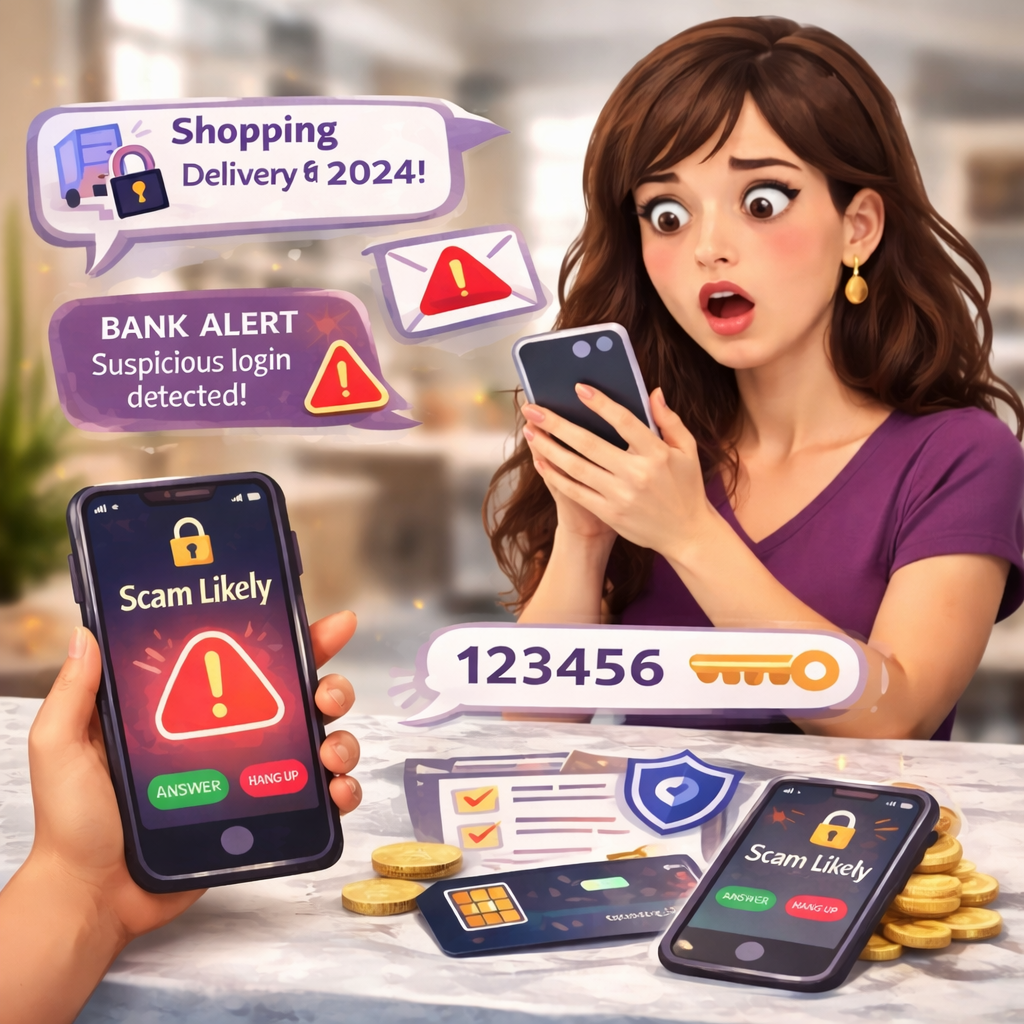
Top Mobile Phone Scams: How to Protect Yourself in 2026
Mobile phone scams are rising fast in 2026, and today’s digital scams are more personal and convincing than ever. From phone carrier scams to SIM swap fraud and growing cases of mobile identity theft, scammers are targeting the one device we trust most — our phones. Identity theft is at an all time high. Knowing how to avoid phone scams and taking simple steps toward identity theft protection has become essential for staying safe. Learn how the most common mobile phone scam in 2026 works and how to protect yourself.
Mobile phone scams stay popular because they’re extremely cheap to run, simple to automate at huge scale, and still bring in big profits even when only a small number of people get tricked. Weak caller ID protections, gaps in spam‑blocking systems, countless leaked phone numbers, and human vulnerabilities like stress and urgency make these scams very difficult to shut down completely.
Table of contents
- Why Mobile Phone Scams Are Rising
- The #1 Thing You Should Do Today
- The Mobile Scam That Is Fooling Everyone Right Now
- Signs Someone May Be Trying to Steal Your Phone Number
- The Emotional Phone Scams Women Are Being Targeted With
- Simple Habits That Dramatically Reduce Your Risk
- The Gal Pal Mobile Safety Checklist
- Final Gal Pal Thought
Why Mobile Phone Scams Are Rising
Your mobile phone number is now the master key to your digital life. If someone controls your number, they can often reset your email, bank logins, social media, shopping accounts, and even investment accounts. Most password resets send verification codes to your phone, which means scammers don’t always hack passwords anymore—they hack you.

The #1 Thing You Should Do Today
If you do nothing else after reading this, add a security PIN to your mobile carrier account. Call your provider and request an account passcode, port-out protection PIN, and SIM swap protection. This prevents someone from pretending to be you and moving your number to their device.
The Mobile Scam That Is Fooling Everyone Right Now
You may receive a call that appears to be from your phone company saying they detected suspicious activity and sent a verification code. That code is actually for a password reset they initiated. If you share it, you just handed them your account. Remember: no legitimate company will ever ask for your verification code.
Text Messages You Should Never Click
We’ve all gotten them — those random texts that make your heart skip for a second because they look important. The reality is that text scams (also called smishing scams) are one of the fastest-growing types of digital fraud right now because scammers know we tend to trust texts more than emails.
Common scam texts include delivery problems, unpaid tolls, account suspensions, and bank alerts. These are smishing scams designed to create urgency. Never click links from unexpected texts. Instead, go directly to the official website or app.
Never click texts that say things like:
• “Your package delivery failed — click here to reschedule”
• “Unpaid toll notice — pay immediately”
• “Suspicious activity on your bank account”
• “Your Apple ID has been locked”
• “Your phone account has been suspended”
• “USPS or FedEx delivery problem”
• “You have an unpaid parking ticket”
• “Final notice before account closure”
These messages are designed to create urgency so you react quickly instead of thinking twice.
A better habit:
• Never click links from unexpected texts
• Go directly to the company’s official website
• Open the real app instead of the text link
• Delete and report the message as spam
And here’s a good Gal Pal rule to remember: Real companies don’t ask you to fix problems through random text links.When in doubt, don’t click. Just check the source yourself.

Signs Someone May Be Trying to Steal Your Phone Number
Watch for sudden loss of service, inability to send texts, password reset emails you didn’t request, accounts logging you out, or ‘No SIM’ notifications. If this happens, contact your carrier immediately from another phone.
Mobile Phone Settings Everyone Should Turn On Today
One of the easiest ways to protect yourself from mobile phone scams is simply turning on the safety features already built into your phone. Most of us never activate these, but they can quietly block a lot of trouble before it ever reaches you.
Start with these simple protections:
• Turn on call-blocking features like Silence Unknown Callers (iPhone) or spam filters on Android so unfamiliar numbers go straight to voicemail. If it’s important, they’ll leave a message.
• Turn on text filtering like Filter Unknown Senders (iPhone) or spam protection in Android Messages and block/report suspicious numbers when they appear.
• Use your carrier’s scam-blocking tools or a reputable call-blocking app to automatically flag robocalls and known scam numbers.
• Only use official apps for banking, social media, and sensitive accounts. Avoid “all-in-one” apps that ask for multiple logins.
• Regularly block and report suspicious callers — this helps improve scam detection systems for everyone.
• Make it a habit to pause before answering unknown numbers. Let voicemail be your first line of defense.
Sometimes the best digital protection isn’t complicated — it’s just turning on the right settings.
The Emotional Phone Scams Women Are Being Targeted With
Scammers increasingly use emotional manipulation like family emergency scams or AI voice cloning. Pause, hang up, and verify directly with the person. Fear is their strategy. Calm is your protection.
Simple Habits That Dramatically Reduce Your Risk
Turn on scam filtering, reduce your phone exposure online, never share codes, let unknown calls go to voicemail, and consider freezing your credit as an added identity theft protection.
The Gal Pal Mobile Safety Checklist
Add mobile carrier PIN
Never share verification codes
Don’t click text links
Turn on scam filters
Freeze credit
Remove public phone listings
Verify suspicious calls
Trust your instincts
Final Gal Pal Thought
Digital safety is self‑care too. Stay aware, stay smart, and always look out for your Gal Pals.
Most Frequently Asked Questions:
What is a phone scam?
A phone scam is a call or text that tricks you into giving money, personal data, or access to your accounts by pretending to be someone you trust.
How can I spot a scam call?
Watch for unexpected contact, urgency or threats, requests for money or codes, odd payment methods, and callers who won’t let you hang up and verify.
What information do scammers want?
They target your personal details, bank and card numbers, passwords, PINs, and one‑time passcodes.
What should I do if a call or text seems suspicious?
Don’t respond, don’t share info, hang up or delete, then contact the company using an official number or app and block/report the sender.
Is it safe to press buttons or call back?
No. Pressing buttons or calling back from a suspicious message can confirm your number is active or connect you directly to scammers.
Can caller ID be faked?
Yes. Scammers can spoof numbers to look like your bank, a local business, or even your own phone.
What if I already shared information?
Contact your bank, change passwords, turn on two‑factor authentication, and monitor accounts and your phone bill closely.
Can answering a call give me a virus?
Answering alone won’t, but clicking links, installing apps they push, or giving remote access can.
Why am I getting so many scam calls and texts?
Scammers use cheap, automated systems and large leaked number lists; if you pick up, your number may be targeted more.
How can I cut down scam calls and texts?
Use spam filters, block/report numbers, join your “do not call” list if available, and avoid posting your number publicly.